> For the complete documentation index, see [llms.txt](https://docs.galaxypay.vn/upc/llms.txt). Markdown versions of documentation pages are available by appending `.md` to page URLs; this page is available as [Markdown](https://docs.galaxypay.vn/upc/payment-gateway/payment-solution/fast-pay.md).
# Fast pay
*Only apply for International card*. APIOperation = FAST\_PAY
**Fast Pay** is a direct payment method that enables the collection of recurring charges without requiring OTP verification from customers, making the payment process quick and seamless.
The system will immediately process the transaction by calling API Pay with the card information or token without redirect customers to an authentication page (OTP challenge page).
With the **Fast Pay API**, merchant can integrate this method into their system to handle recurring transactions, such as membership fees or subscription services, automatically and securely.
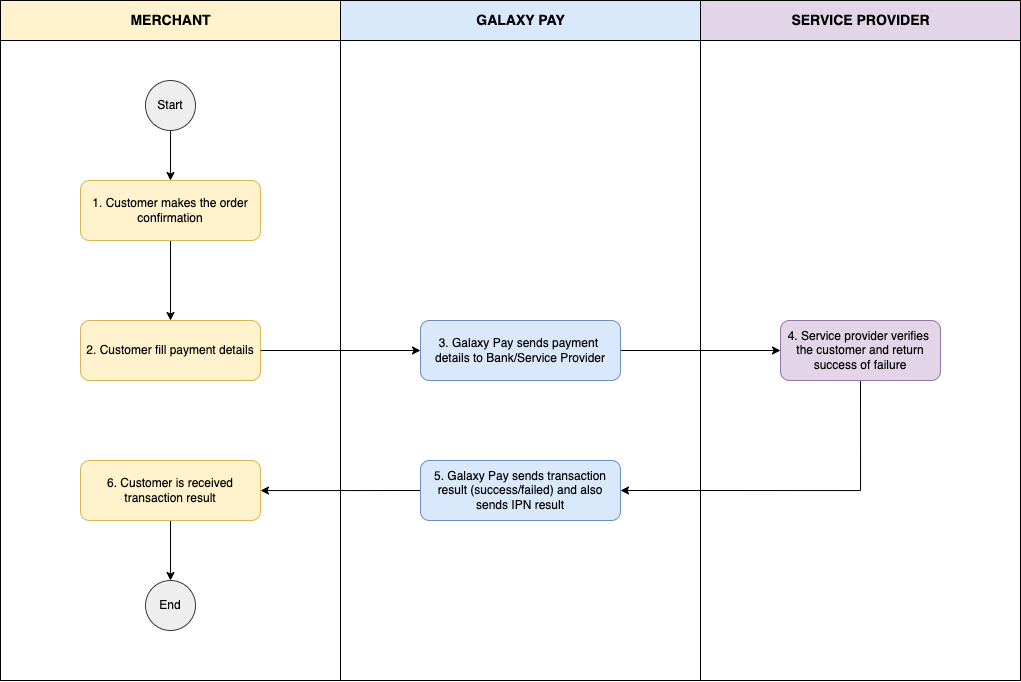
## Workflow
## Customer journey
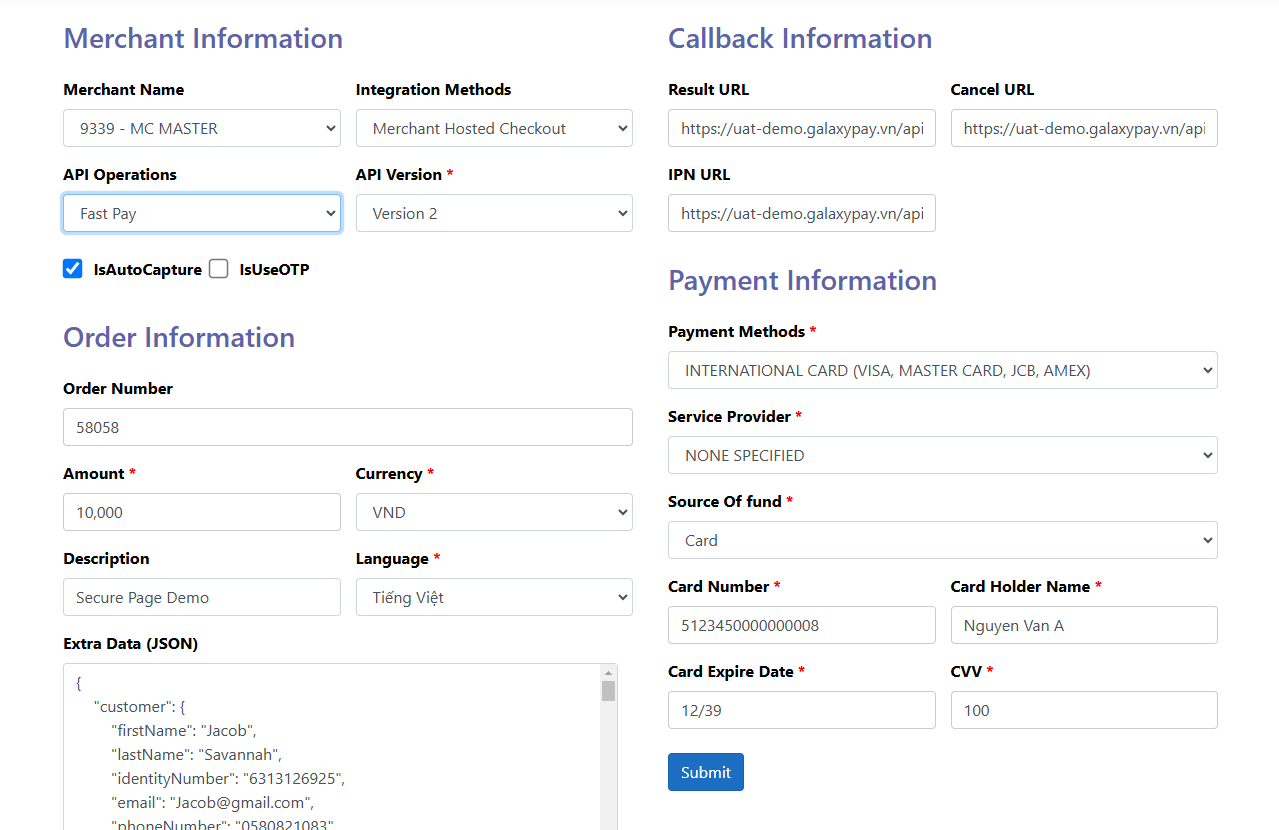
The follow sample customer journey is for payment method = INTERNATIONAL CARD:
{% hint style="info" %}
View information about terms/definitions in [Glossary](/upc/payment-gateway/appendix/glossary.md)
{% endhint %}
1. Customer completes order information and initiates a transaction with a payment method (for example, INTERNATIONAL Card), API Operation = Fast Pay.
2. Customer enters card information: Card number, Card holder name, card issue date/expired date and CVV. Then clicks "Submit" to proceeds to complete the payment.
3. Merchant collects the payment details of a payer in the application or website and send the payment details directly to the Galaxy Pay Gateway to process the transaction.
4. The customer is shown (failed/successful) on merchant website based on the transaction status from Galaxy Pay
## Benefits of Fast pay
1. **Optimized Payments**: Automated transactions without authentication reduce verification steps and increase processing speed.
2. **Flexible Integration**: Integration with any application, website, call center, billing system, or Interactive Voice Response (IVR) system.
3. **Seamless User Experience**: Customers don’t need to repeat actions for each recurring transaction, saving time and improving satisfaction.
4. **Stable Cash Flow Management**: Automatic collection helps businesses forecast and manage budgets effectively.
5. **Cost Savings**: Reduces costs associated with manual verification and minimizes data entry errors.
6. **High Security**: No OTP required, yet customer data remains secure.
## Integration
See integration detail in [General integration steps](/upc/payment-gateway/payment-solution/general-integration-steps.md) and API fields in [Fast Pay](/upc/payment-gateway/api-specification/payment/fast-pay.md)